This article was prepared with AI assistance based on an analysis of the current Lumina Studio source code, existing Wiki content, and relevant workflows. It has been checked against the current version, but omissions or details that become outdated may remain as the software evolves. If you find an error or have a clearer explanation, example, or suggestion, please leave a comment on this page or propose an edit on GitHub.
Inferred LUT
Inferred LUT loads a brand package containing colour databases, supported layer modes, and an optional predictive model. Instead of choosing one fixed table, you first select a brand and then choose the databases and supported layer mode used for matching.
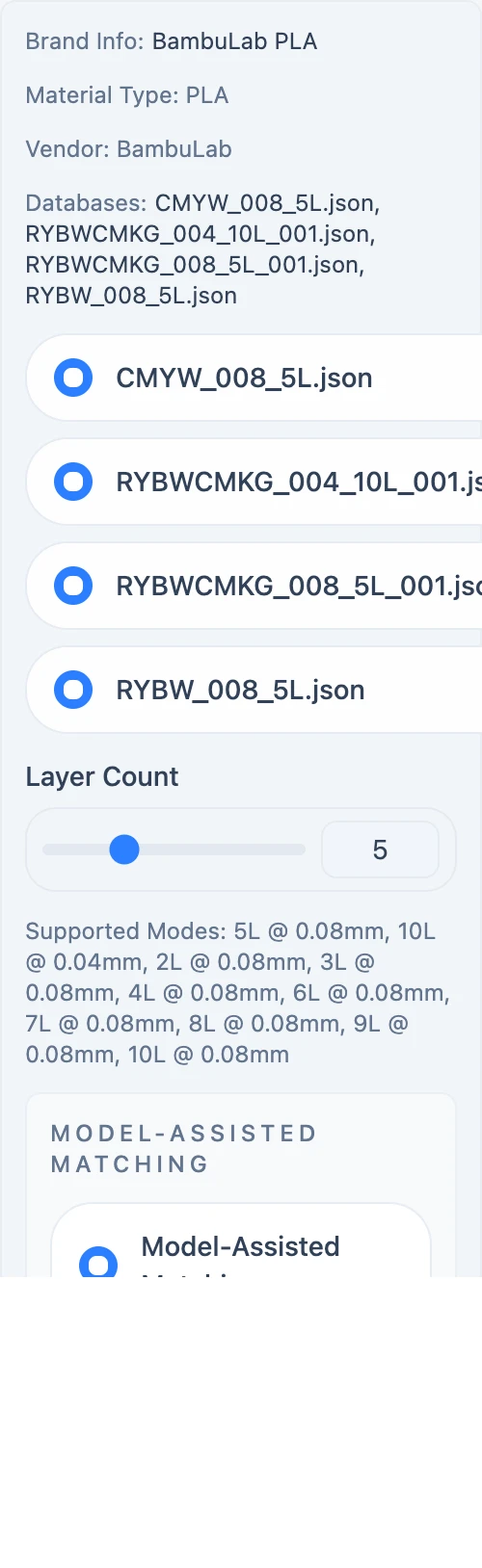
Brand and databases
Only databases declared by the selected brand can be enabled. At least one database must remain selected before the source is ready for preview.
Changing the brand clears the previous brand's database choices and applies the new package defaults. The old preview and 3MF are invalidated at the same time.
Layer Count
The slider does not create an arbitrary layer mode. Lumina Studio searches the brand's supported_modes:
- an exact layer-count and layer-height pair is used when available;
- if several heights exist for the count, the nearest current height is chosen;
- if the count is unsupported, the previous valid mode remains active.
The Supported Modes line lists the actual “layers @ layer height” pairs used by generation.
Model-assisted matching
Model-Assisted Matching and Model only appear only when the brand package contains a usable predictive model. The measured database remains the baseline, while the model can replace weak database matches when its result is clearly better. See Model-Assisted Matching for the exact decision rule.
Submit feedback
Your feedback is sent privately to the Wiki maintainers and is not displayed publicly on this page.