This article was prepared with AI assistance based on an analysis of the current Lumina Studio source code, existing Wiki content, and relevant workflows. It has been checked against the current version, but omissions or details that become outdated may remain as the software evolves. If you find an error or have a clearer explanation, example, or suggestion, please leave a comment on this page or propose an edit on GitHub.
Source Type
Source Type determines which colour data Lumina Studio uses to turn image colours into printable, layer-by-layer material recipes. It does not alter the source image, but it changes the brands, databases, layer modes, and backing materials available later in the workflow.
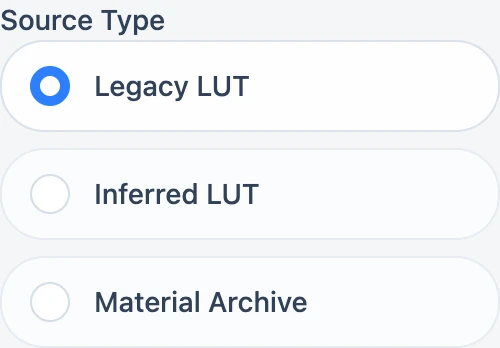
The three sources
| Option | Data used | Typical use |
|---|---|---|
| Legacy LUT | A precomputed colour-to-recipe lookup table | Existing LUTs, compatible multi-LUT sets, or a LUT file you import |
| Inferred LUT | Brand packages containing colour databases and an optional predictive model | Native brand packages with declared layer modes and databases |
| Material Archive | Individual filament profiles extracted from gradient cards | Freely combining measured materials and solving recipes for that set |
These are not three views of the same data. The same image can produce different candidates and recipes under each source.
What switching resets
Switching sources invalidates the current preview, 3MF, and download URL so results from the previous data source cannot be reused accidentally.
- Switching to Legacy LUT clears native brand, database, dynamic-layer, and model-assisted state.
- Switching to Material Archive disables model-assisted matching.
- Switching to Inferred LUT selects databases and a supported layer mode from the active brand.
Confirm the new source settings and generate a fresh preview after every switch.
Submit feedback
Your feedback is sent privately to the Wiki maintainers and is not displayed publicly on this page.