This article was prepared with AI assistance based on an analysis of the current Lumina Studio source code, existing Wiki content, and relevant workflows. It has been checked against the current version, but omissions or details that become outdated may remain as the software evolves. If you find an error or have a clearer explanation, example, or suggestion, please leave a comment on this page or propose an edit on GitHub.
Five-Colour Recipe Query
Five-Colour Recipe Query inspects LUTs with five- or six-layer recipes. It can query an explicit base-colour order or find the closest available recipe to a target HEX.
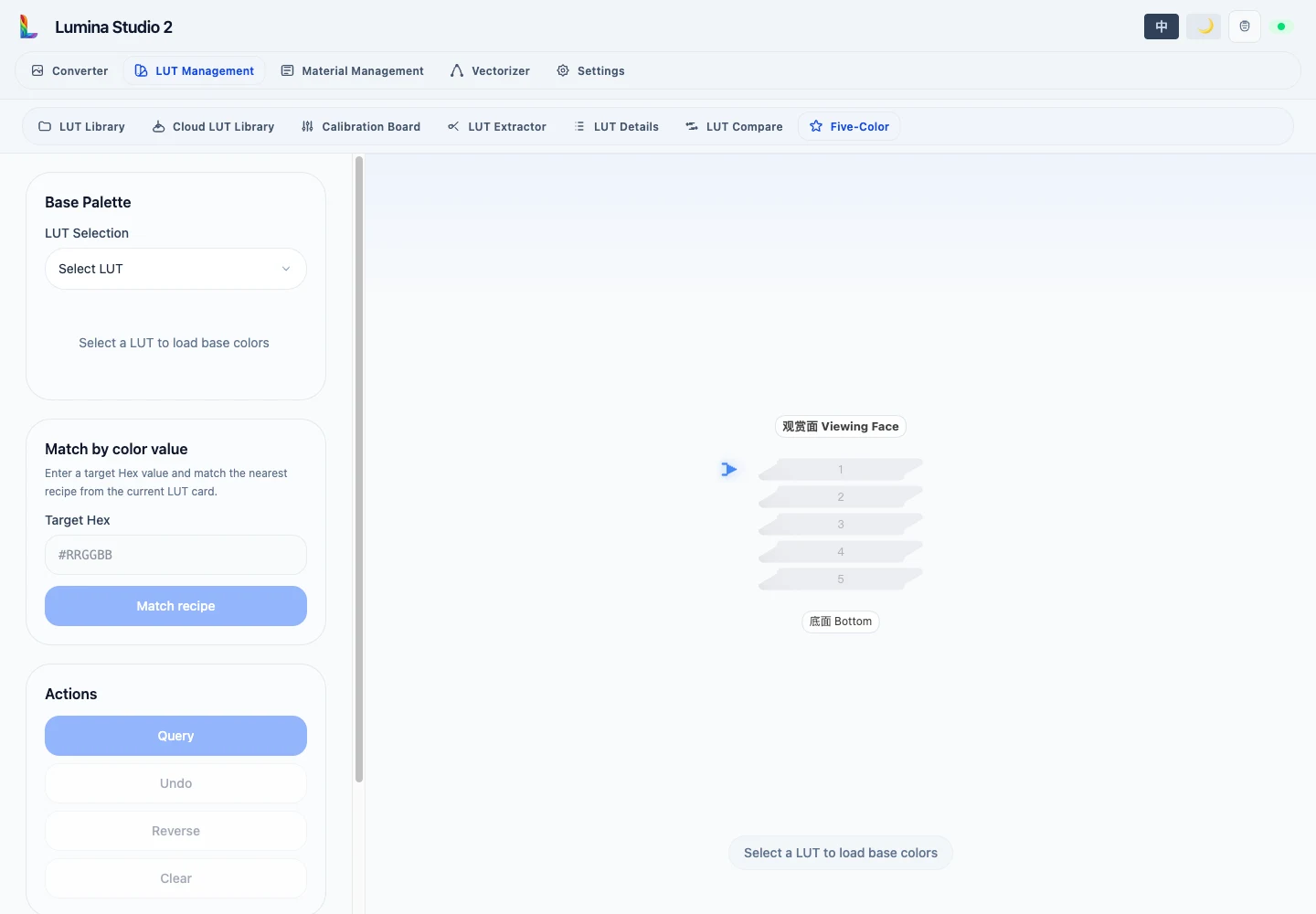
Query by layer order
After selecting a LUT, base-colour cards are filtered by the selected prefix. A dimmed card is not a UI failure: no valid recipe can use that colour as the next layer after the current sequence.
After completing a valid five- or six-layer sequence:
- Query returns the result colour and LUT row.
- Undo removes the final layer.
- Reverse flips a complete layer order and queries it again.
- Clear starts over.
Layer order changes the optical result; the same material set in another order is a different recipe.
Match a target colour
Enter #RRGGBB to find the closest result in the active LUT. The result reports target and matched colours, ΔE00, swatch
coordinates, and layer order. Neighbourhood cells show nearby candidates, not recipes that are necessarily identical.
Collection and printable swatch
Add results to the collection; an identical recipe is not added twice. Remove entries individually or use Clear
collection to remove all of them. Set patch size 5–50 mm, gap 0.5–10 mm, columns 0–20, and single- or
double-sided structure, then generate and download the 3MF swatch. 0 columns lets the generator choose the layout.
Changing LUT clears the collection so row and recipe identities from different LUTs are not mixed.
Submit feedback
Your feedback is sent privately to the Wiki maintainers and is not displayed publicly on this page.