This article was prepared with AI assistance based on an analysis of the current Lumina Studio source code, existing Wiki content, and relevant workflows. It has been checked against the current version, but omissions or details that become outdated may remain as the software evolves. If you find an error or have a clearer explanation, example, or suggestion, please leave a comment on this page or propose an edit on GitHub.
Cloud Material Library
The cloud library is an optional material catalog. The local library remains fully usable offline when no registry is configured.
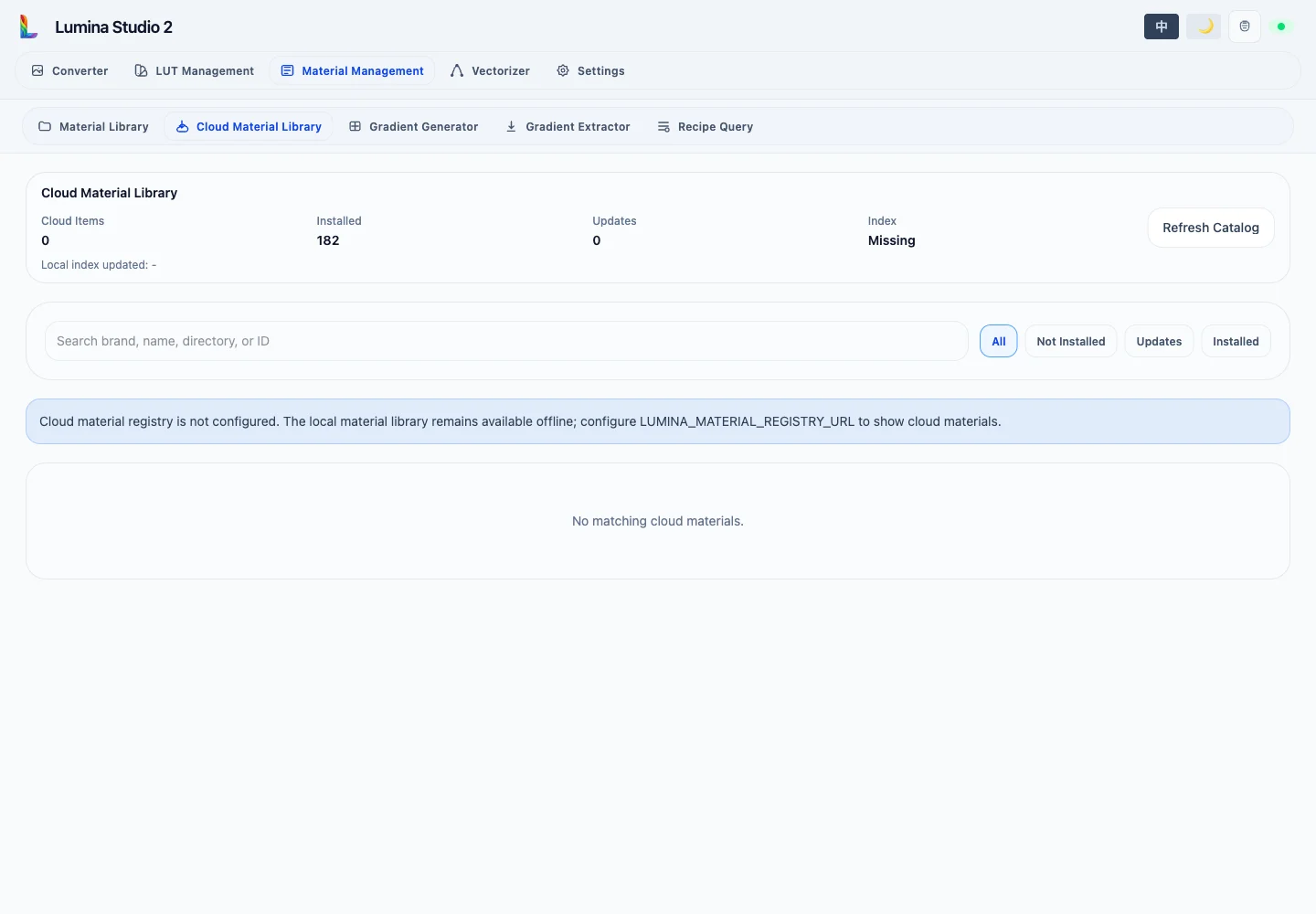
The summary reports catalog entries, locally installed materials, available updates, index state, and the last sync time. Refresh Cloud Catalog rereads the catalog and install status; it does not delete local archives.
Search covers brand, name, material ID, revision, directory, channel, and visibility. Filters show All, Not Installed (including missing local files), Updates, or Installed. Catalog pages contain 50 entries and can be loaded one page at a time or all at once.
Install states
Each card shows its brand, name, colour, local directory, package size, fingerprint, and one of these states:
- Not installed: available to download;
- Installed: the local revision matches the catalog;
- Update available: a newer catalog revision can be installed;
- Local revision available: identical content already exists through another local mapping;
- Local files missing: an install record exists but its archive files are incomplete.
The Official badge is a channel marker. Confirm the material identity and intended conditions before using it.
Rollback controls appear only when a usable historical revision is still present locally. Rollback changes the active installed revision without altering the cloud catalog.
Installed archives appear in the Material Library and can be backed up offline with Material Import and Export.
Submit feedback
Your feedback is sent privately to the Wiki maintainers and is not displayed publicly on this page.