This article was prepared with AI assistance based on an analysis of the current Lumina Studio source code, existing Wiki content, and relevant workflows. It has been checked against the current version, but omissions or details that become outdated may remain as the software evolves. If you find an error or have a clearer explanation, example, or suggestion, please leave a comment on this page or propose an edit on GitHub.
Editing and Re-Verification
The four actions on a material card change different parts of an archive.
Edit Details
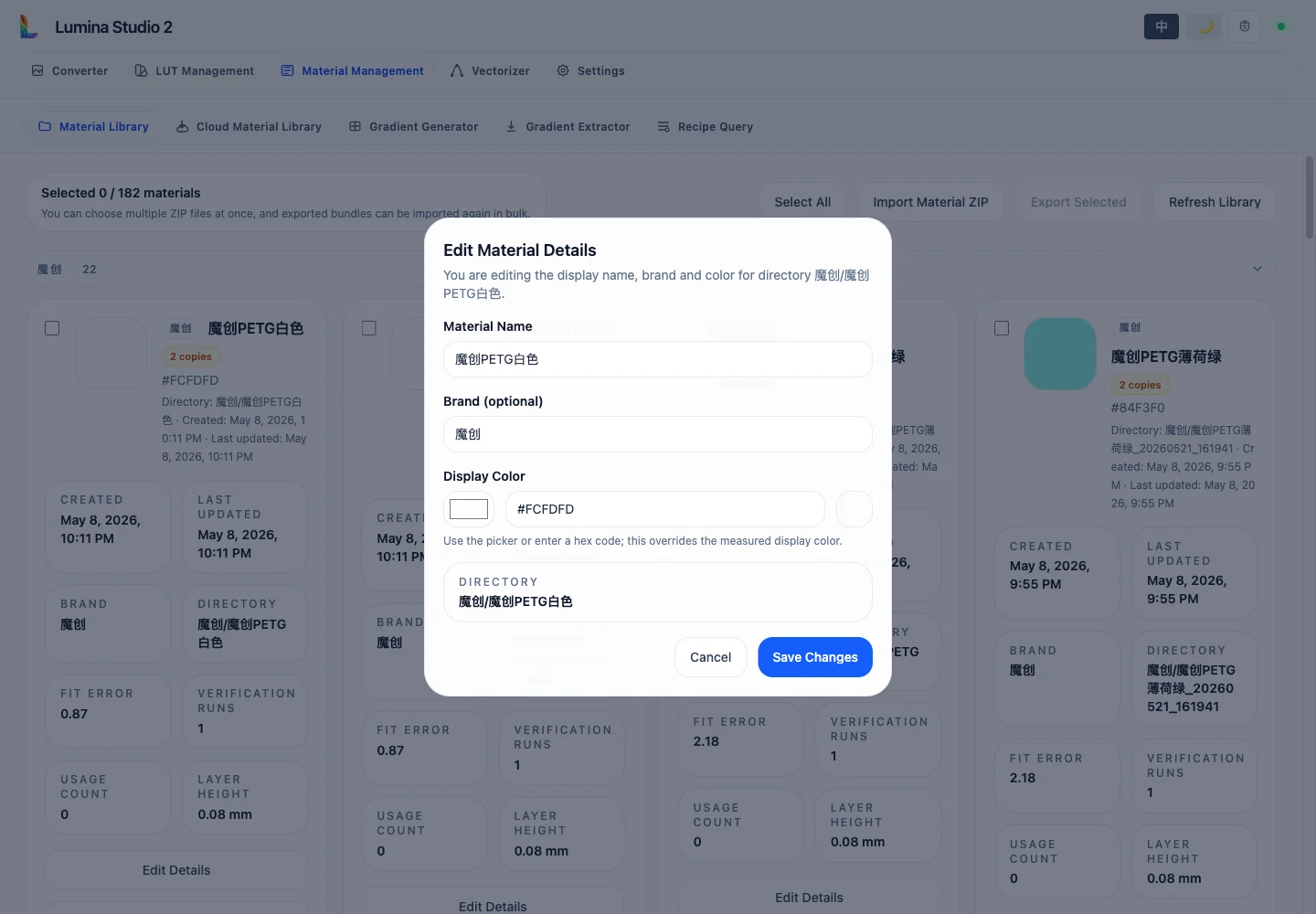
Edit Details changes the display name, brand, and display colour. The colour accepts either the picker or #RGB /
#RRGGBB.
This colour overrides the estimated RGB shown in selectors; it does not refit E, k, or substrate parameters. The directory remains unchanged, so existing references survive a display-name edit.
Re-Verify
Re-Verify opens Gradient Extractor with the current directory as the target. After extracting a new white/black image pair, choose:
- Merge Result to retain history and jointly refit the valid old and new samples;
- Override to discard old runs and replace the result;
- Cancel Re-Verification to leave without writing the archive.
Raw captures and ColorChecker-corrected images are separate source classes and cannot be merged directly. Capture with the same source type or intentionally override the old archive.
Verification History
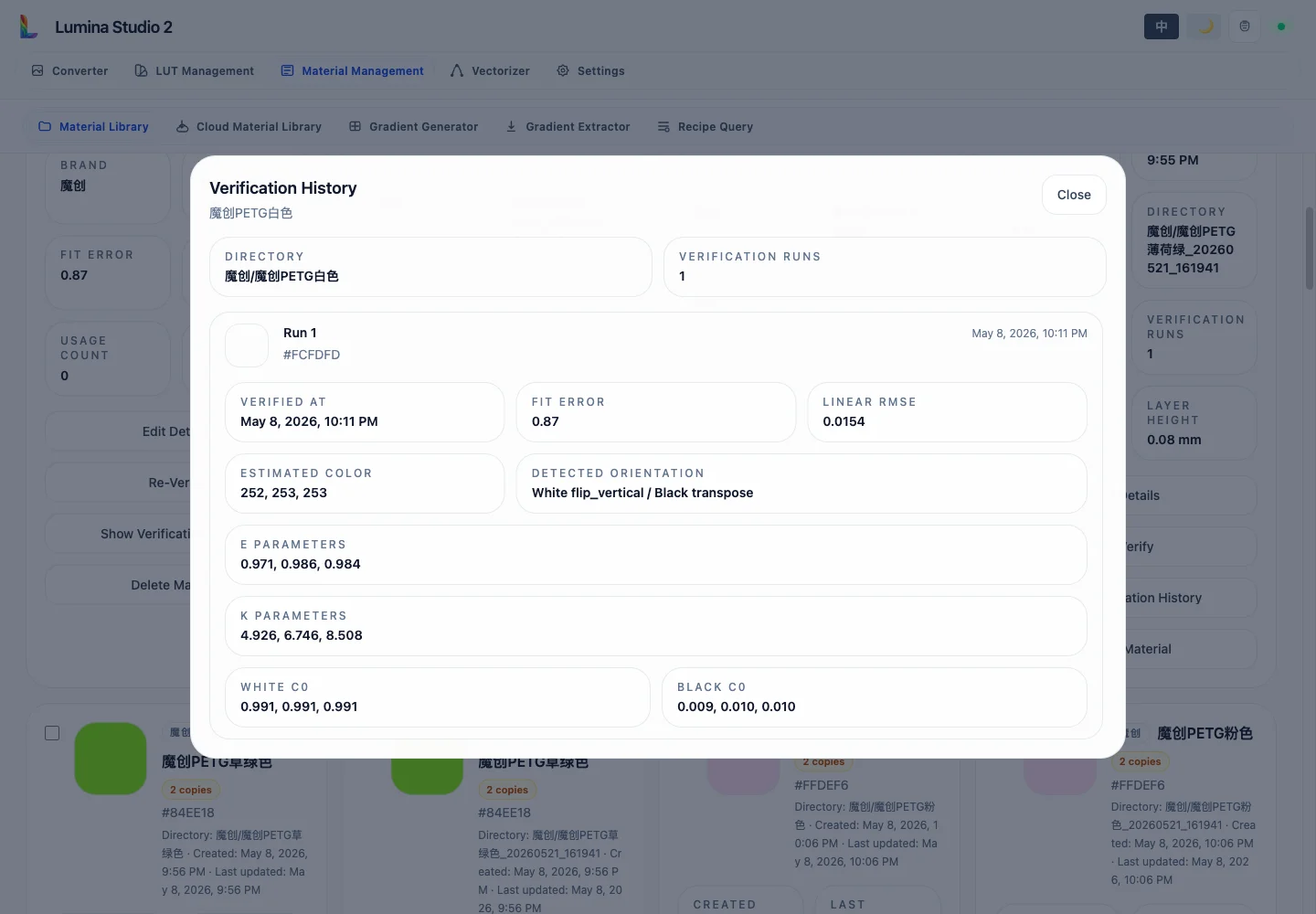
Each available run summary records estimated colour, mean ΔE, linear RMSE, detected white/black orientation, and E, k, white C0, and black C0 parameters. Merge diagnostics also identify accepted and excluded historical measurements.
Use these fields to check repeatability, spot exposure or orientation problems, and decide whether a new measurement should be merged or should replace the archive.
Delete Material removes only this local directory from the active server and cannot be undone. It does not delete a cloud revision or another machine's copy. Export it first through Material Import and Export when a backup is required.
See Gradient Card Extraction for the complete capture flow.
Submit feedback
Your feedback is sent privately to the Wiki maintainers and is not displayed publicly on this page.