This article was prepared with AI assistance based on an analysis of the current Lumina Studio source code, existing Wiki content, and relevant workflows. It has been checked against the current version, but omissions or details that become outdated may remain as the software evolves. If you find an error or have a clearer explanation, example, or suggestion, please leave a comment on this page or propose an edit on GitHub.
Material Import and Export
The Material Library can export several archives into one ZIP and import them into another Lumina installation. The ZIP is a complete material package, not a screenshot or a list of display colours.
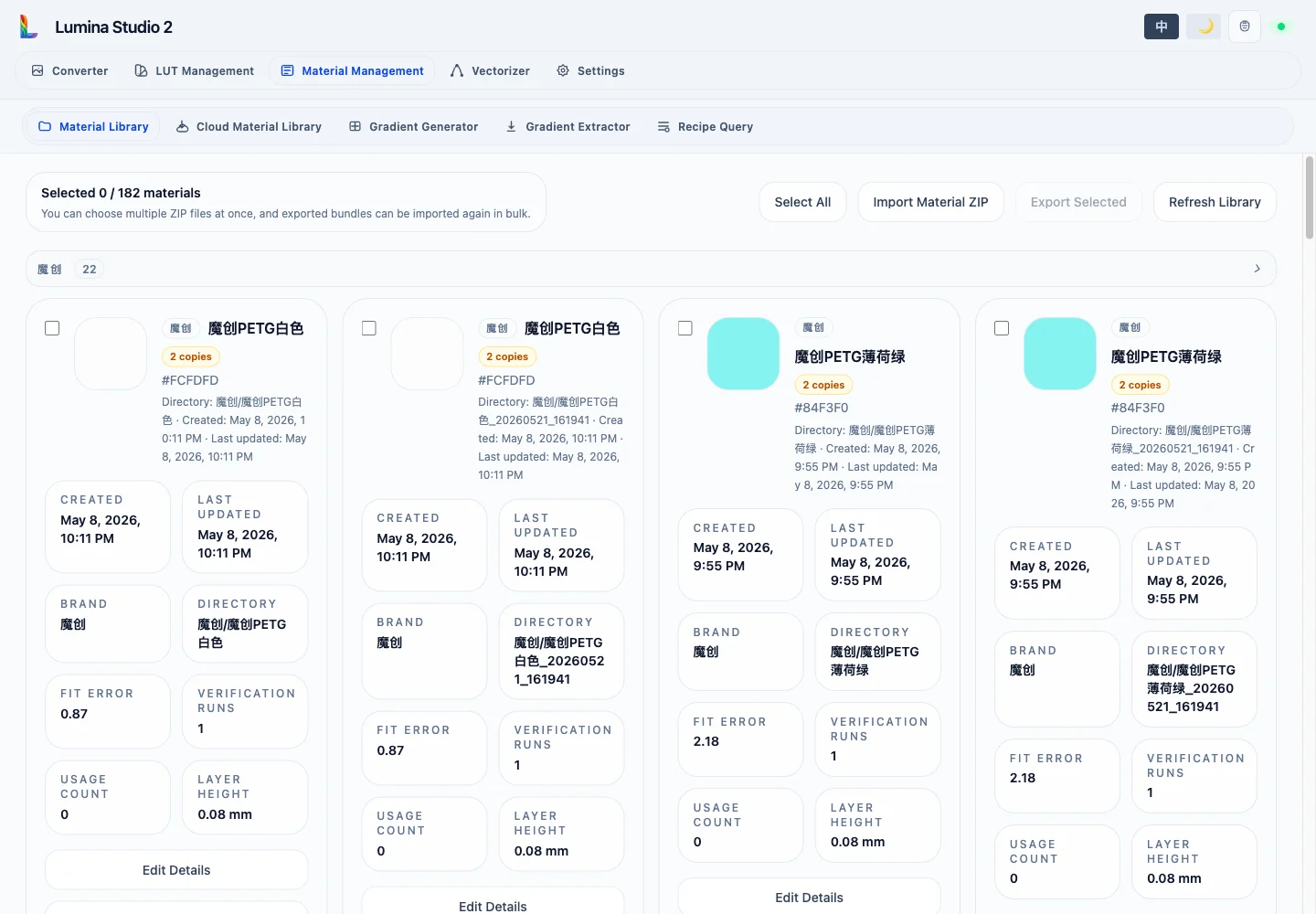
Export
- Select the materials to preserve, or use Select All.
- Select Export Selected.
- Save the generated
lumina_materials_<count>_<time>.zip.
One ZIP may contain several materials. Lumina writes an export manifest, a package manifest, each archive's
material.json, fitted parameters, and the other public files needed by the archive. The download URL is temporary, so
save the file promptly.
Import
Import Material ZIP accepts several ZIP files in one selection. Before installation, the backend checks safe archive paths, manifests and material directories, UTF-8 JSON, Stage A solver parameters, and—when a versioned package manifest is present—file sizes and content hashes.
If the requested directory already exists, Lumina creates another directory with a timestamp suffix instead of overwriting the existing archive. Newly imported materials are selected automatically for review.
If any file in a multi-ZIP import fails, archives already written by that request are rolled back so the transfer does not stop half complete.
Use this workflow before moving computers or servers, handing measured materials to a collaborator, restoring a NAS backup, or preserving a reproducible experiment set.
After import, verify brand, directory, layer height, and run count in the Material Library before using the archives for Material Recipe Query or image conversion.
Submit feedback
Your feedback is sent privately to the Wiki maintainers and is not displayed publicly on this page.