This article was prepared with AI assistance based on an analysis of the current Lumina Studio source code, existing Wiki content, and relevant workflows. It has been checked against the current version, but omissions or details that become outdated may remain as the software evolves. If you find an error or have a clearer explanation, example, or suggestion, please leave a comment on this page or propose an edit on GitHub.
Material Recipe Query
Material Recipe Query uses the Beer–Lambert forward model stored in material archives. It does not depend on a traditional LUT and does not impose a five-layer limit.
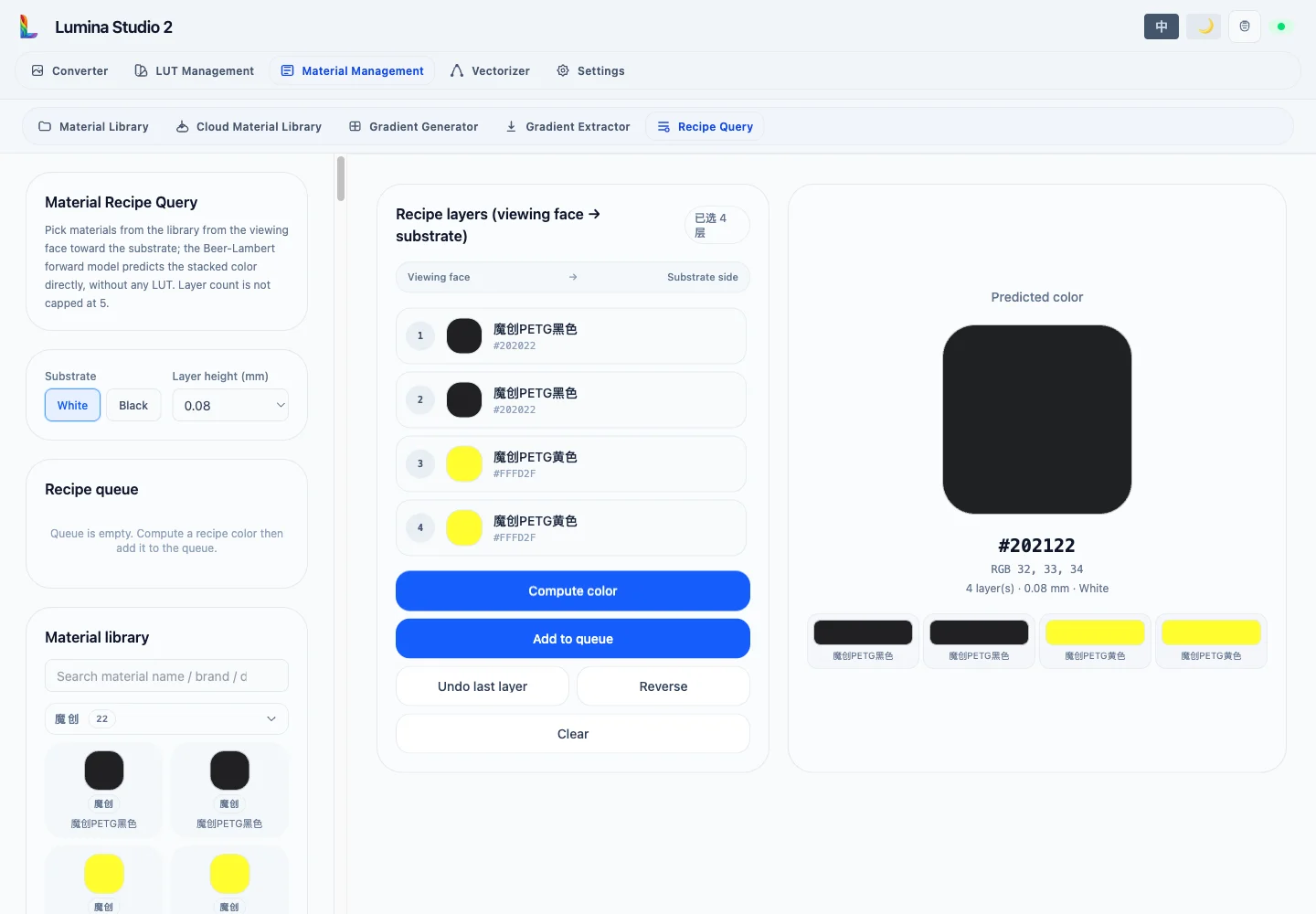
White or Black selects the final substrate. Layer height can be 0.04, 0.08, or 0.10 mm and should match the actual
slicer setting. Changing either value invalidates the current prediction.
Build the stack
The library is grouped by brand and searchable by material name, brand, or directory. Selecting a material appends one layer on the substrate side.
The displayed order is always:
viewing face → … → substrate
Undo Last Layer removes the latest substrate-side append. The × control removes any individual layer. Reverse flips the entire stack, and Clear removes it.
Compute Color converts the display order to the substrate-first order used by the solver, then runs the forward model layer by layer. Results include predicted HEX and RGB, layer count, height, substrate, and the estimated colour after each layer.
This is a calibrated model prediction, not a monitor swatch guarantee. Printer behaviour, material batch, surface texture, and viewing light still require a physical check.
Queue and verification swatch
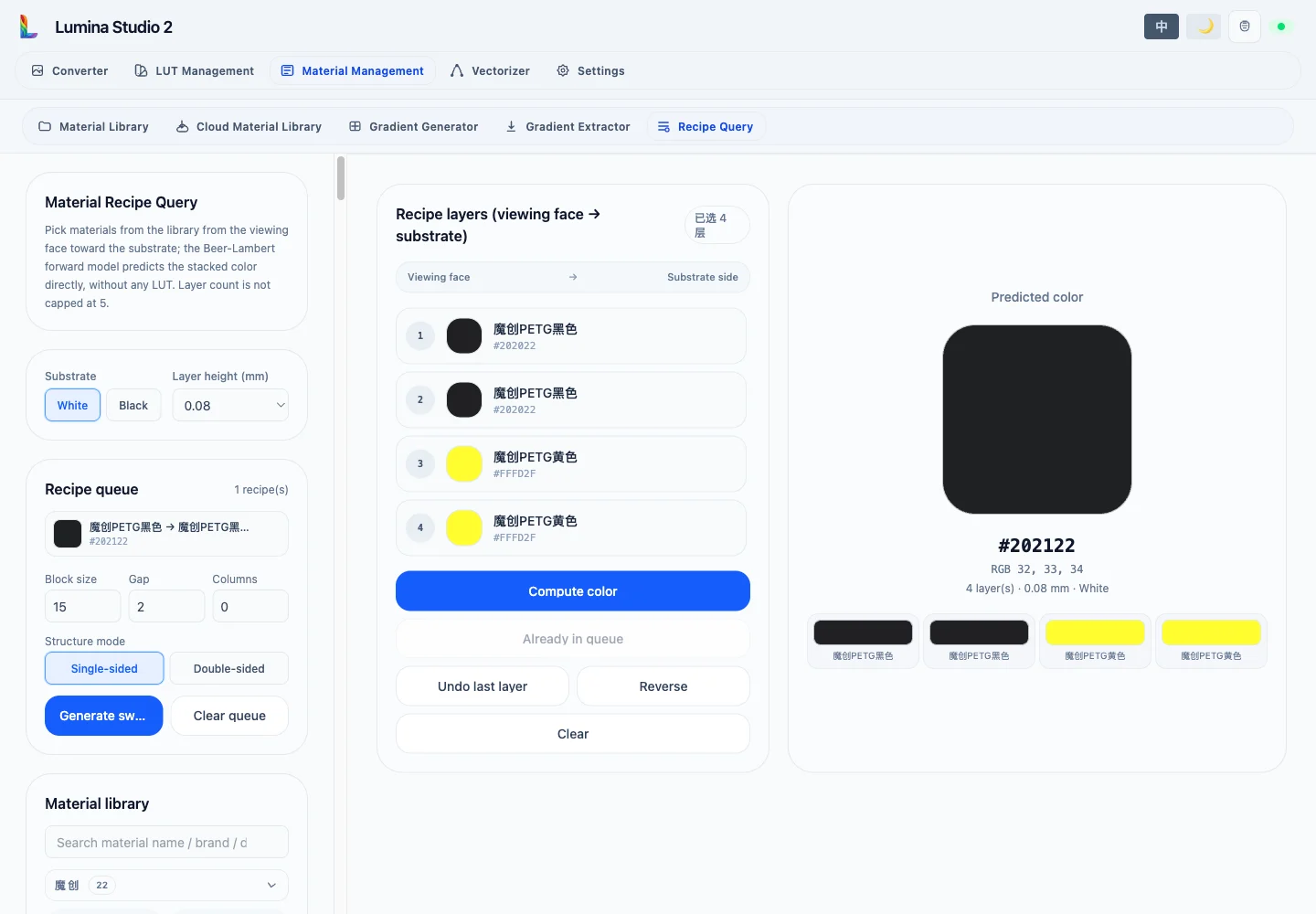
Add to Queue stores the current order, height, and substrate; an identical result is not added twice. Remove entries individually or clear the complete queue. Swatch generation supports:
- Block size:
5–50 mm; - Gap:
0.5–10 mm; - Columns:
0–20, where0selects an automatic layout; - Structure mode: Single-sided or Double-sided.
Generation also reads the printer, slicer, nozzle, and device profile from Settings to create the matching 3MF. The legend preview identifies block positions. Download 3MF appears after a successful build; the queue remains available for another layout and build.
Related pages:
Submit feedback
Your feedback is sent privately to the Wiki maintainers and is not displayed publicly on this page.