This article was prepared with AI assistance based on an analysis of the current Lumina Studio source code, existing Wiki content, and relevant workflows. It has been checked against the current version, but omissions or details that become outdated may remain as the software evolves. If you find an error or have a clearer explanation, example, or suggestion, please leave a comment on this page or propose an edit on GitHub.
Device and Slicer
The device settings control how Lumina Studio prepares the 3MF and which slicer opens it after generation. Select the slicer, printer, and installed nozzle that you actually use; the devices shown in examples are not required choices.
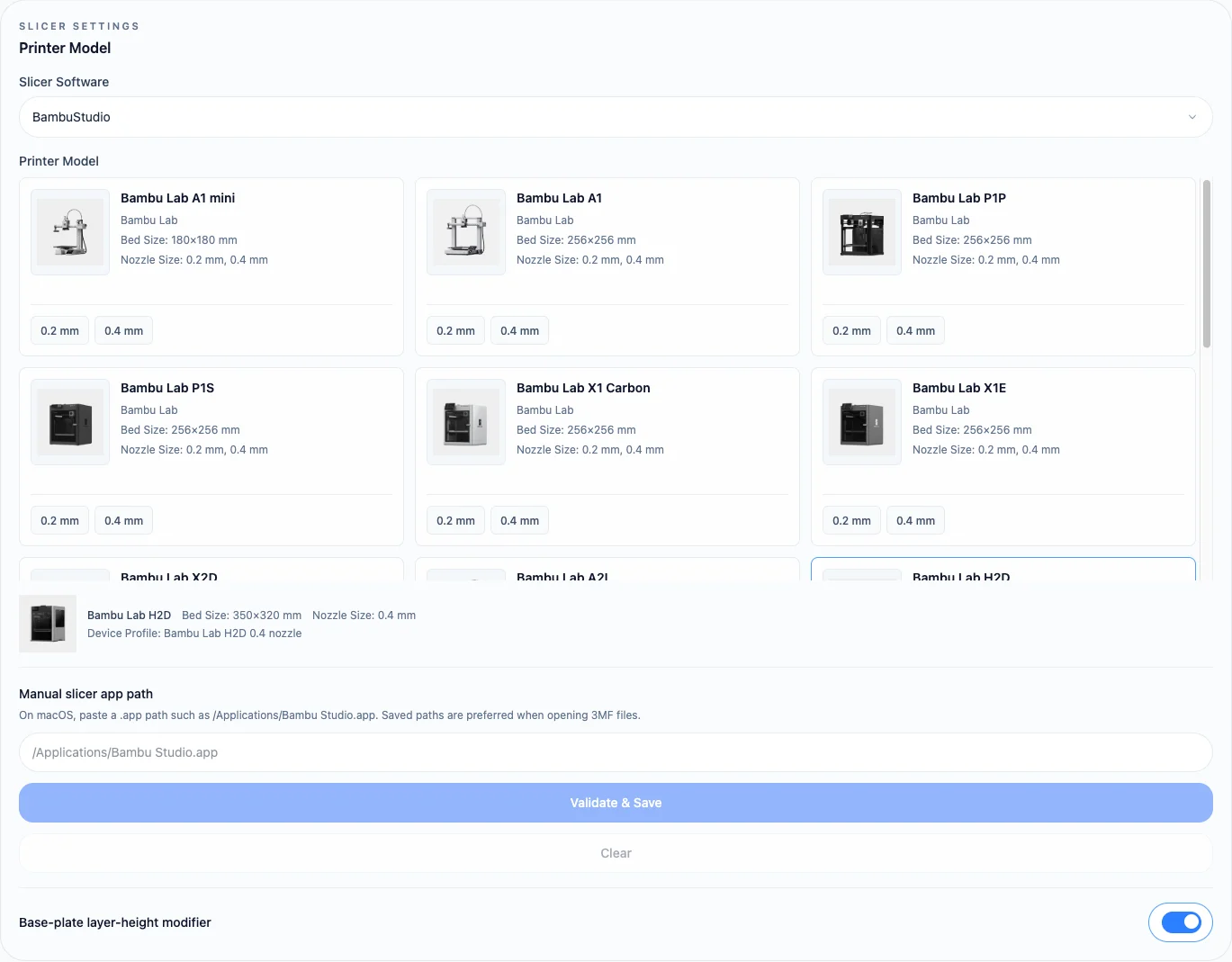
How the settings work together
- Slicer Software determines the compatible printer list and output adapter.
- Printer Model determines the build plate, machine capabilities, and available device profiles.
- Nozzle Size contributes to model resolution, line width, and selected layer-height calculations.
- Device Profile distinguishes hardware or toolhead variants of the same printer.
Changing the slicer immediately filters the printer list. If the previous printer, nozzle, or profile is no longer valid, Lumina Studio selects a valid option from the new list instead of retaining an unusable combination.
These changes invalidate previously generated downloads. Preview and generate again to create a 3MF for the new device.
Manual slicer path
On macOS, you can enter a slicer .app path, such as /Applications/Bambu Studio.app. Validate & Save checks the path
before storing it. A validated path takes priority when you choose to open a generated 3MF in the slicer.
The manual path only selects the application used to open the file. It does not convert one slicer's output format into another, so the Slicer Software selection must still match that application.
A persistent error usually means the backend has not started or the machine registry could not be loaded.
Related pages:
Submit feedback
Your feedback is sent privately to the Wiki maintainers and is not displayed publicly on this page.